
Explicit Proxy Configuration
Simplifying enterprise-grade Zero Trust security through intuitive proxy configuration and management
The Challenge
Complex Configuration Process
Setting up explicit proxy for Zero Trust Network Access required customers to navigate through multiple disconnected workflows:
- •Manual POP selection across global regions
- •Complex CNAME validation with unclear error messages
- •Disconnected authentication and security rule configuration
- •No visibility into provisioning status or progress
The Impact
Design Process
We broke down the complex proxy configuration into a guided, step-by-step workflow that reduces cognitive load and provides clear feedback at every stage.
Setup Access Points
Choose POPs, configure user distribution, and specify dedicated IP requirements
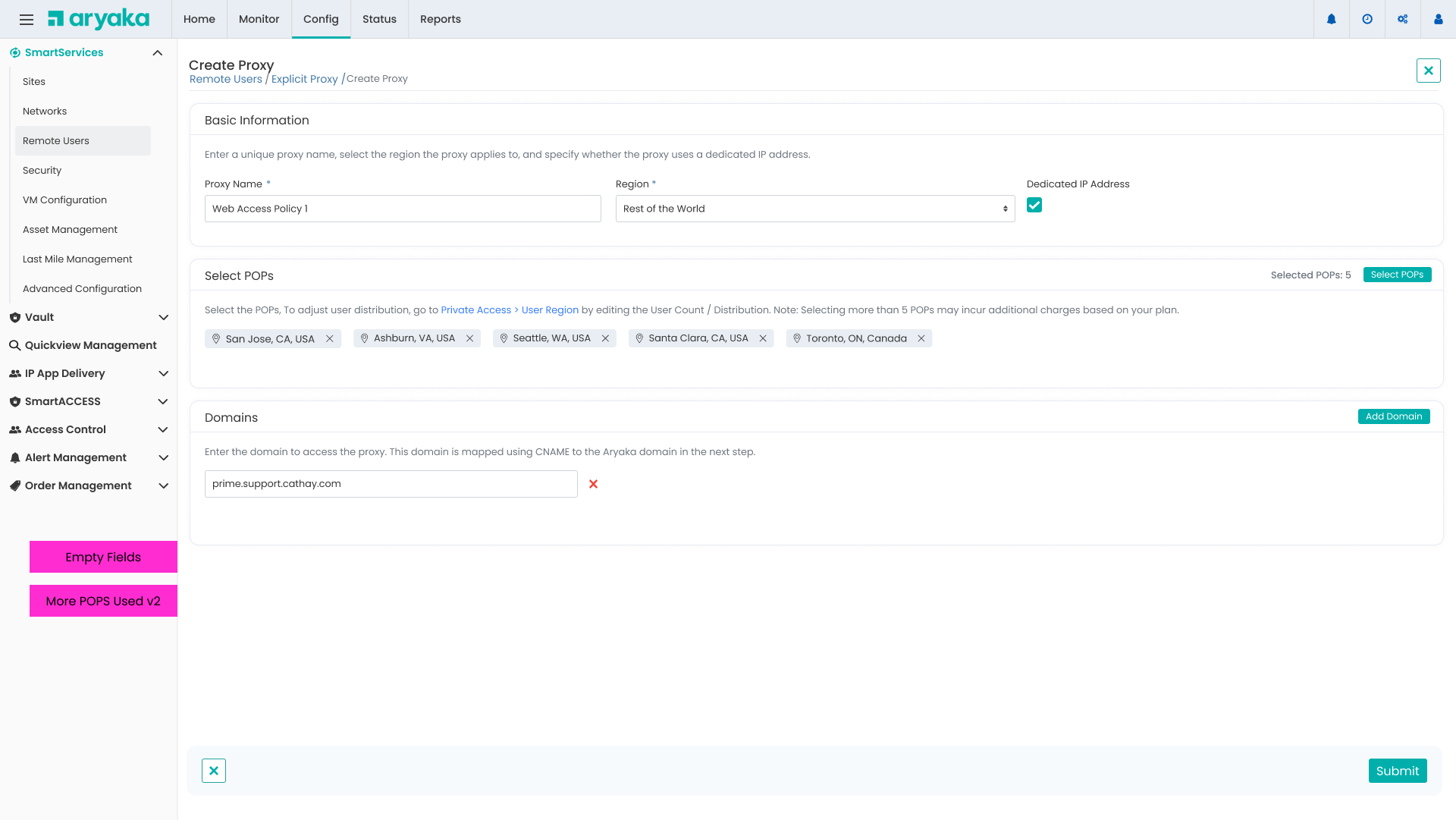
- Smart POP recommendations based on user location
- Visual map showing selected POPs and coverage
- Real-time validation of user count vs subscription limits
- →Grouped POPs by region for easier selection
- →Added warning when exceeding 5 POPs (additional charges)
- →Inline help text explaining dedicated IP benefits
Proxy Configuration Overview
Centralized view of proxy settings with guided additional configuration steps
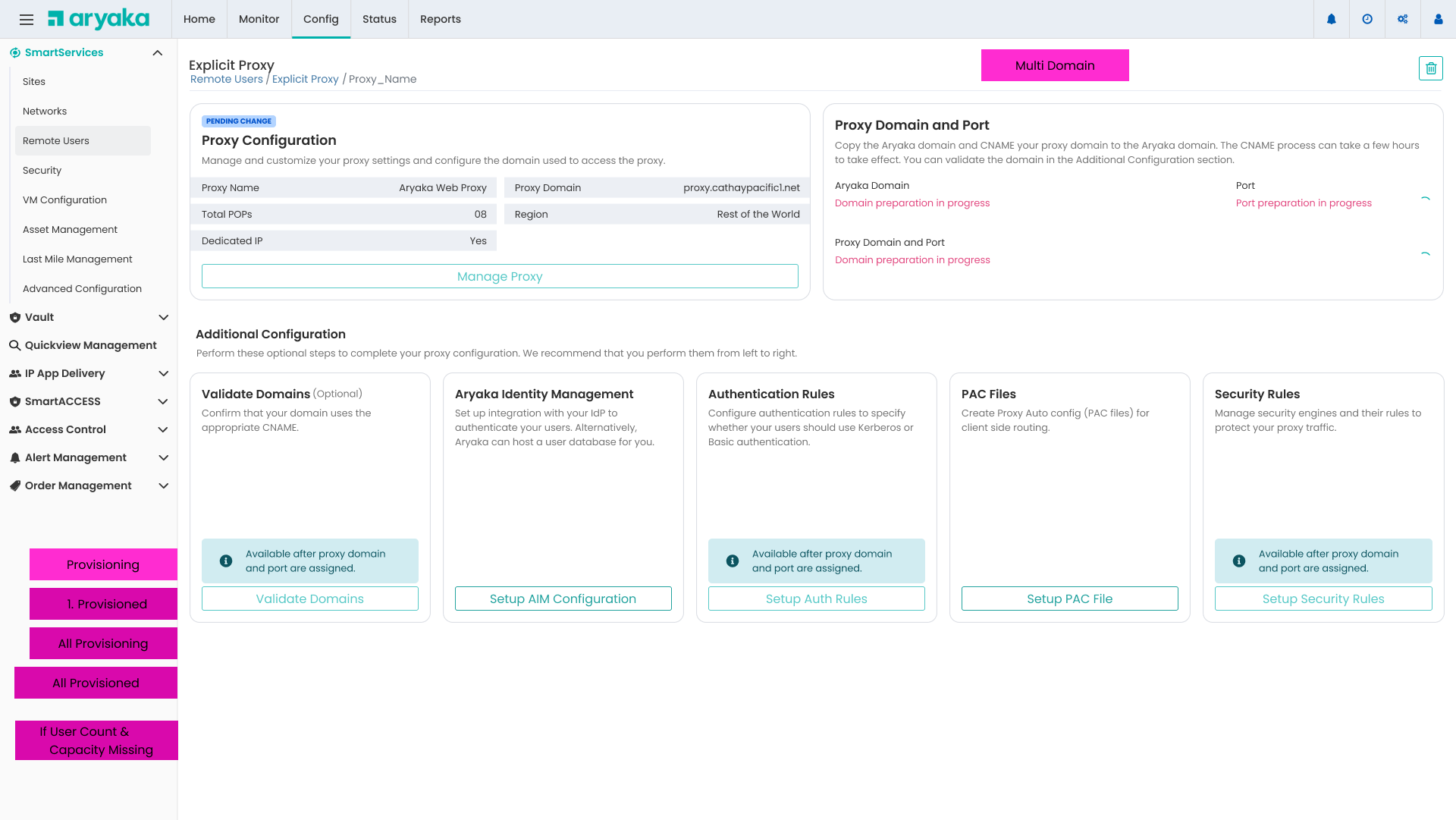
We organized the configuration into logical steps that unlock sequentially, preventing users from getting overwhelmed while ensuring they complete required steps in the correct order.
CNAME Validation
Real-time DNS validation with detailed troubleshooting information
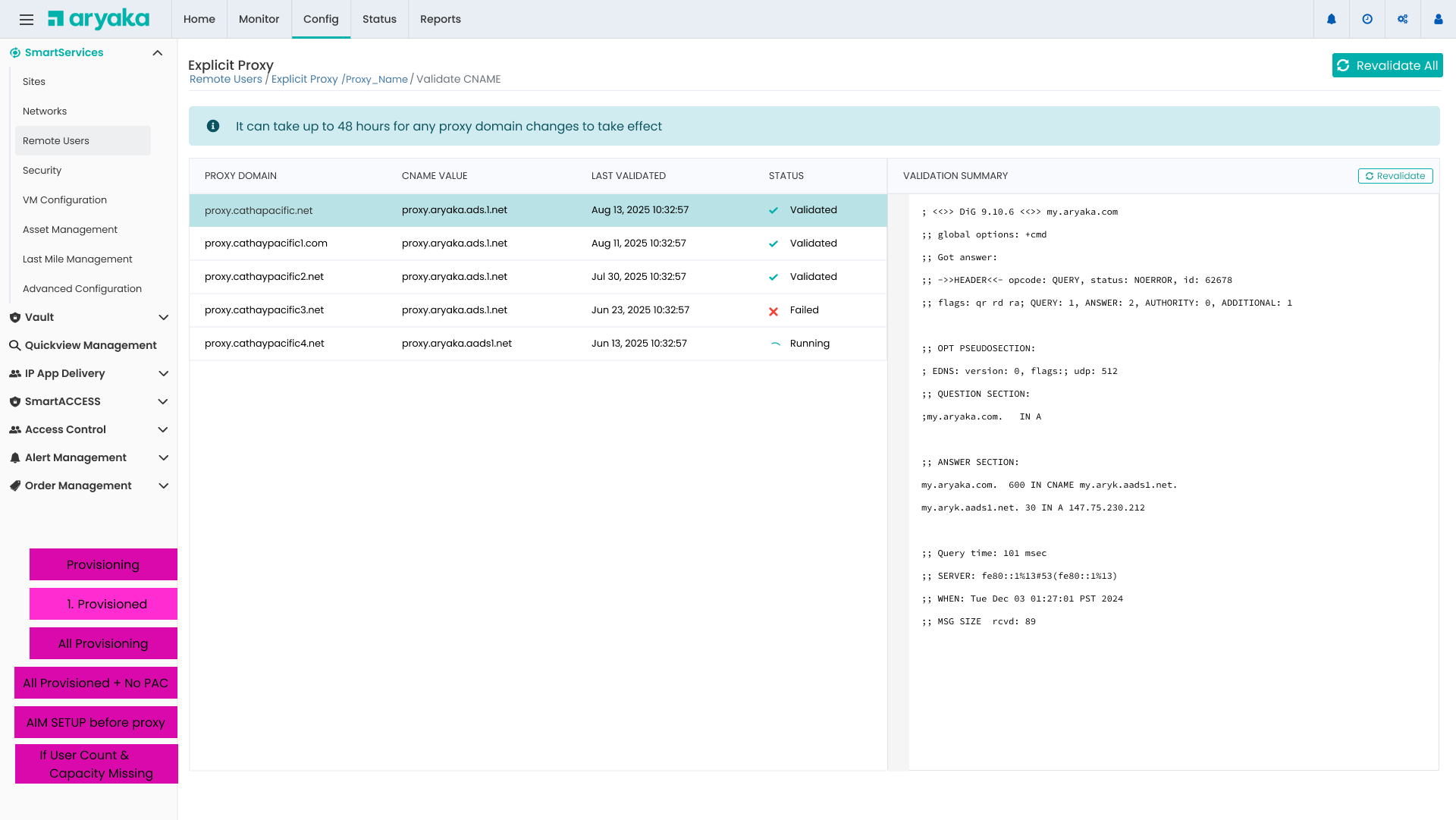
Instead of generic error messages, we show the actual DNS query results, making it easy for network administrators to diagnose and fix issues.
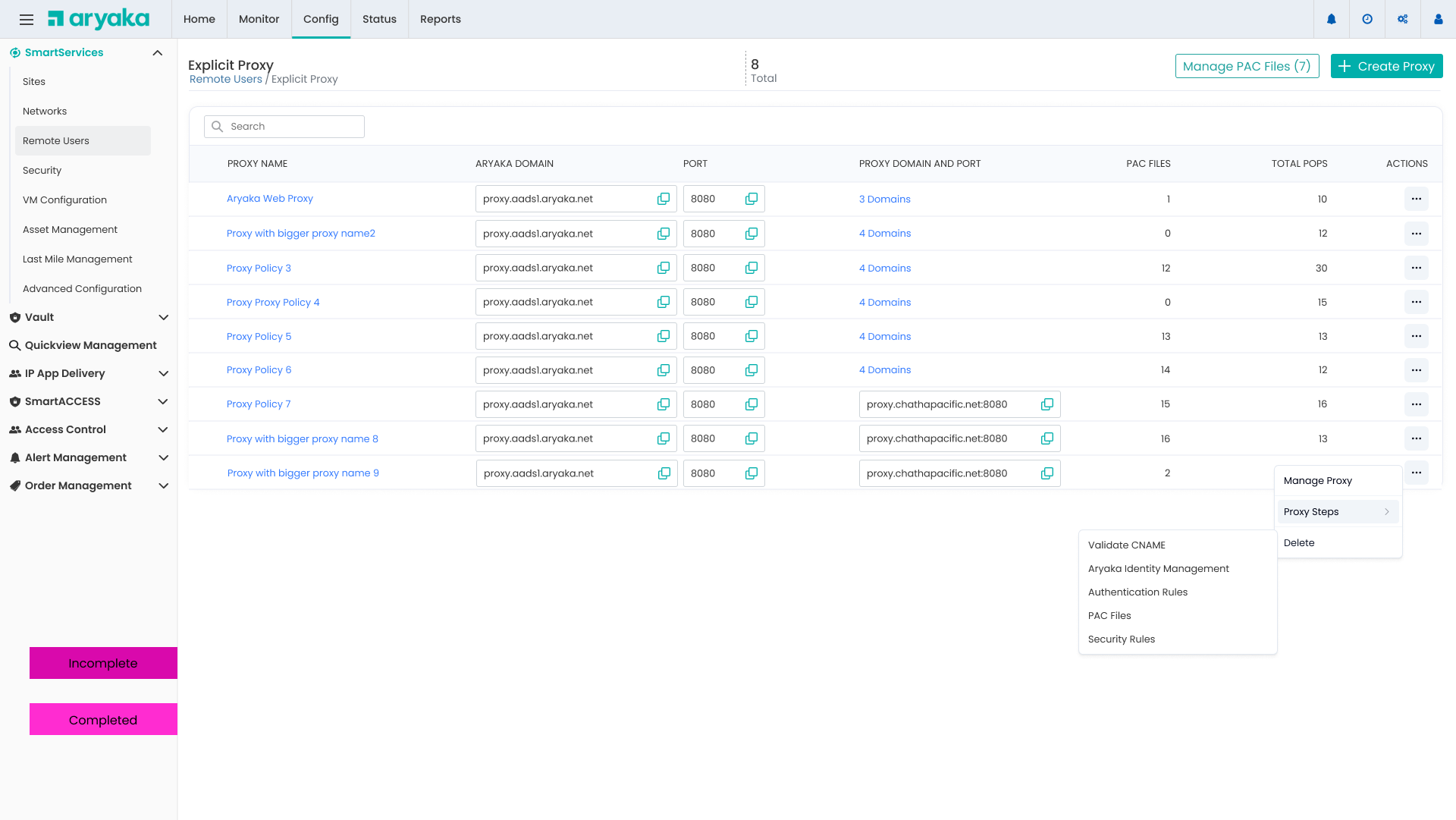
Proxy Management Dashboard
Centralized view of all proxies with quick access to management actions
Remote Users Integration
Explicit Proxy is part of the broader Remote Users access strategy, alongside VPN Client options.
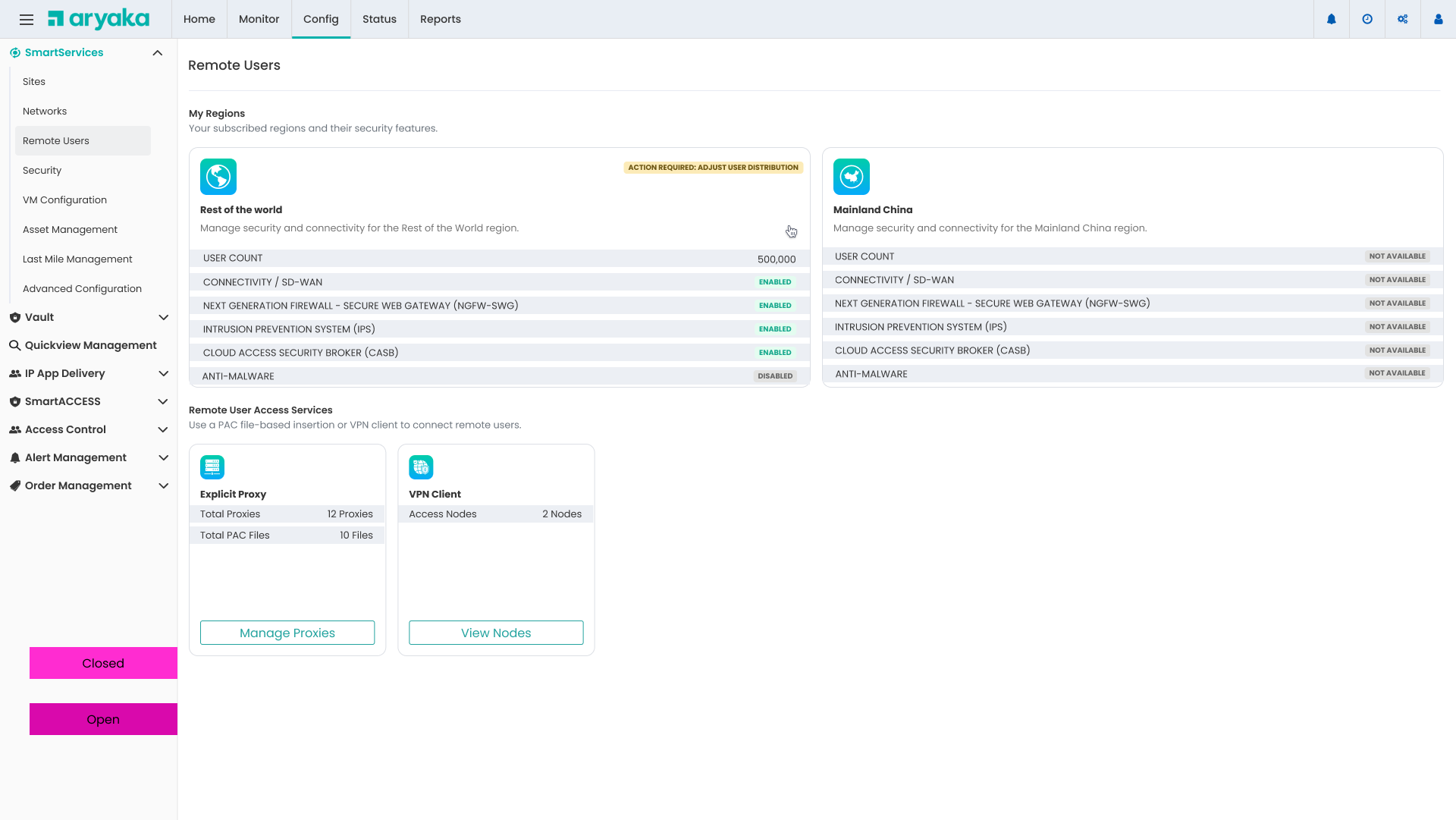
Explicit Proxy
PAC file-based proxy configuration for transparent traffic routing through Aryaka's security stack
- No client software installation required
- Automatic traffic routing based on PAC rules
- Integrated with Aryaka Identity Management
- Support for multiple domains and authentication methods
VPN Client
NCP VPN client for secure remote access with full network encryption
- Full tunnel encryption for all traffic
- Client software with automatic updates
- Support for split tunneling configurations
- Ideal for highly mobile workforce
Key UX Improvements
Design decisions that transformed the proxy configuration experience
Smart Defaults
Pre-populated fields based on customer profile and subscription, reducing manual data entry by 60%
Real-Time Validation
Instant feedback on configuration errors with actionable suggestions for resolution
Visual POP Selection
Interactive map showing coverage and latency, helping customers make informed decisions
Provisioning Status
Clear visibility into each configuration step with estimated completion times
Contextual Help
Inline documentation and tooltips explaining technical concepts in plain language
Multi-Domain Support
Manage multiple proxy domains with individual CNAME validation and configuration
Impact & Results
Measurable improvements in configuration time, error rates, and customer satisfaction
Customer Feedback
"The new proxy configuration workflow is night and day compared to the old process. We were able to set up 12 proxies across our global offices in less than a week."
"The CNAME validation with actual DNS query results saved us hours of troubleshooting. We could see exactly what was wrong and fix it immediately."